IA
Comment utiliser la recherche par reconnaissance faciale : guide du photographe
Présentation La technologie de recherche par reconnaissance faciale a considérablement progressé, offrant aux photographes des outils puissants pour tout, de...
Présentation
La technologie de recherche par reconnaissance faciale a considérablement progressé, offrant aux photographes des outils puissants pour tout, de l'organisation de photothèques à la protection des images protégées par le droit d'auteur. Que vous ayez besoin de savoir où vos portraits apparaissent en ligne, d'identifier une utilisation non autorisée d'images ou simplement d'organiser des milliers de photos d'événements, la reconnaissance faciale peut vous faire économiser des heures de travail.
Ce guide explore le fonctionnement de la reconnaissance faciale, les meilleurs outils gratuits et payants disponibles et les applications pratiques pour les photographes.
Comment fonctionne la reconnaissance faciale
La reconnaissance faciale utilise deux méthodes principales. La reconnaissance fiduciaire mesure les dimensions des traits du visage : la distance entre les yeux, la largeur du nez, la longueur de la mâchoire et la forme des pommettes. La détection de pixels analyse les pixels de l'image par rapport à une base de données de modèles d'apparence, y compris les caractéristiques d'âge et de sexe.
Les deux approches collectent des données biométriques, puis utilisent l’intelligence artificielle pour identifier ou vérifier la personne sur la photo. Les systèmes modernes basés sur l’IA fonctionnent désormais avec une précision remarquable en temps réel.
Pour les photographes, la recherche d'images inversée avec reconnaissance faciale vous permet de télécharger une photo et de trouver où cette personne apparaît sur Internet, ce qui est idéal pour suivre l'utilisation non autorisée d'images et surveiller votre travail.
Meilleurs outils de recherche par reconnaissance faciale
Lenso.ai
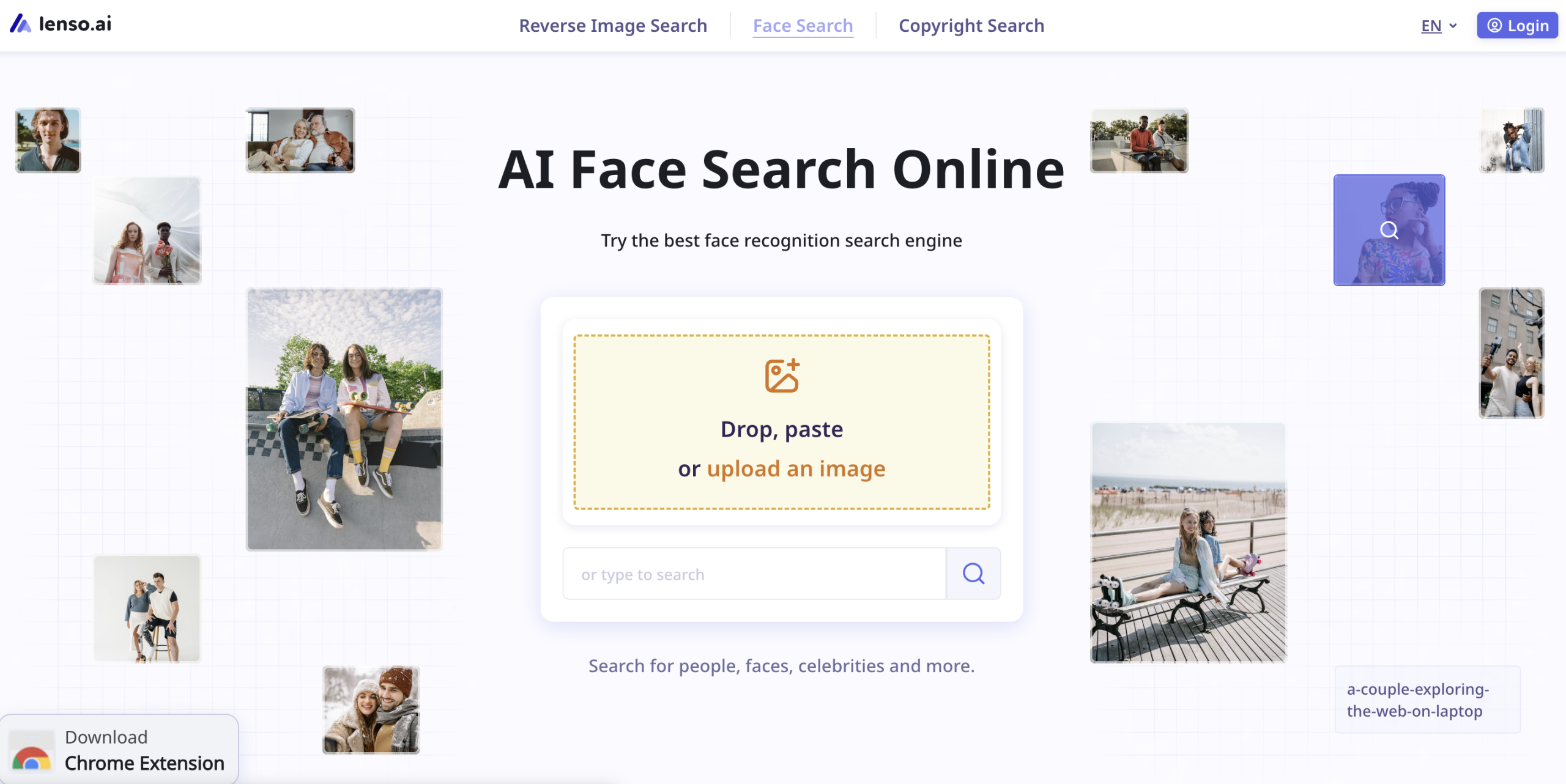
Lenso.ai propose une fonction dédiée de recherche de visage aux côtés de son moteur de recherche d'images inversées. Téléchargez une photo par glisser-déposer ou en collant, et Lenso.ai scanne son index en quelques secondes.
Principales caractéristiques :
- Recherche la même personne partout où ses images apparaissent en ligne
- Trouve les doublons, les personnes d'apparence similaire et les photos associées
- Des alertes par e-mail vous avertissent lorsque de nouvelles images correspondantes font surface
- Recherche gratuite disponible ; l'accès payant déverrouille les liens du site Web source
Remarque : La disponibilité de Face Search dépend de la région en raison des réglementations en matière de confidentialité telles que le RGPD. Les résultats sont meilleurs avec des images claires et de haute qualité où la personne fait face directement à la caméra.
PimEyes
PimEyes recherche sur plus de 10 millions de sites Web des visages correspondants. La version gratuite confirme si un visage existe en ligne, tandis que les abonnements payants débloquent la recherche approfondie, les rapports PDF et les alertes de notification.
Fonctionnalité exceptionnelle : PimEyes trouve des images même lorsque les arrière-plans ont été modifiés, d'autres personnes ajoutées ou des modifications apportées comme des changements de couleur de cheveux.
Google Images
Google Images propose une recherche de visage gratuite grâce à sa recherche d'images inversée. Cliquez sur l'icône de l'appareil photo, téléchargez une photo ou collez l'URL d'une image et Google trouve des images similaires. Sous « Outils » et « Type », sélectionnez « Visage » pour des résultats faciaux raffinés.
Autres outils notables
PicTriev : outil de comparaison de célébrités amusant et gratuit. Estime également si deux photos différentes montrent la même personne.
Betaface : va au-delà des célébrités, proposant une comparaison des visages, des recherches Wikipédia et la création d'une base de données d'utilisateurs pour une reconnaissance faciale plus large en ligne.
Applications pour les photographes
Organisation des photothèques
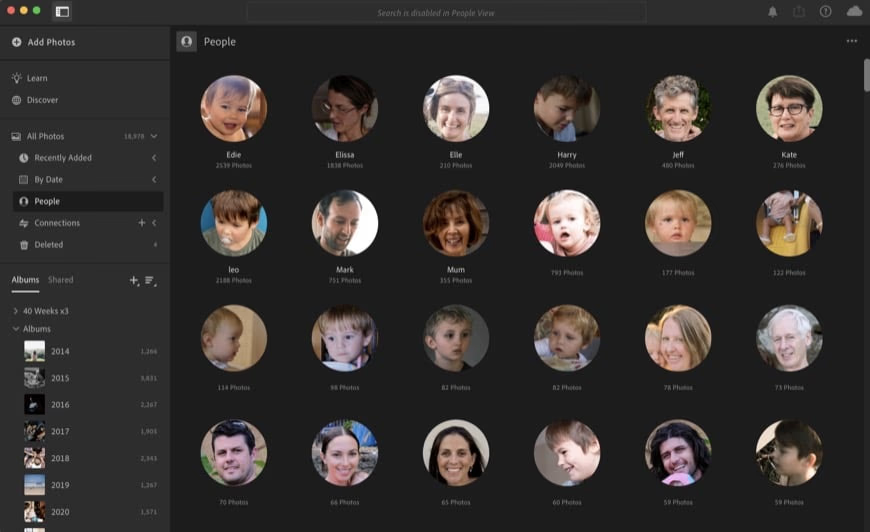
Adobe Lightroom (version basée sur le cloud) utilise la reconnaissance faciale pour organiser les photos par personne, ce qui est inestimable pour les photographes d'événements et de portraits qui gèrent des milliers d'images.
Protection des droits d'auteur
La recherche d'images inversée aide les photographes à détecter une utilisation non autorisée des images. Des outils comme Lenso.ai surveillent votre empreinte numérique et vous alertent lorsque vos photos apparaissent dans de nouveaux emplacements.
Autofocus et post-traitement
La détection de visage intégrée à l'appareil photo alimente les systèmes de mise au point automatique modernes, garantissant des yeux nets dans les portraits. L'IA de post-traitement dans des éditeurs comme Luminar et On1 Photo Raw améliore les images de portrait grâce à la reconnaissance faciale.
Considérations importantes
La reconnaissance faciale soulève des préoccupations légitimes en matière de confidentialité. L'utilisation par les forces de l'ordre a conduit plusieurs villes américaines à interdire la surveillance par reconnaissance faciale en temps réel. Les voleurs d’identité peuvent potentiellement exploiter ces outils. De plus, les biais des algorithmes restent un problème important : les systèmes disposent de plus de données sur les hommes blancs que sur d’autres données démographiques, créant des disparités en matière de précision.
Lorsque vous publiez des images en ligne, maintenez des paramètres de confidentialité élevés, surtout si vous vous inquiétez de la manière dont vos données faciales pourraient être utilisées.
Conseils pratiques pour utiliser la reconnaissance faciale
- Utilisez des photos claires de face pour de meilleurs résultats
- Essayez plusieurs outils : différents moteurs indexent différentes sources
- Configurez des alertes pour surveiller votre empreinte numérique
- Respectez toujours la vie privée et obtenez le consentement lorsque vous recherchez d'autres personnes
- Utilisez la reconnaissance faciale de Lightroom pour organiser les photothèques des clients
- Vérifiez régulièrement toute utilisation non autorisée de vos portraits
Conclusion
La technologie de reconnaissance faciale est un allié de poids pour les photographes. De l’organisation des bibliothèques à la protection des droits d’auteur, les outils disponibles aujourd’hui sont remarquablement efficaces. Même si les problèmes de confidentialité justifient une utilisation réfléchie, les avantages pour les photographes professionnels sont substantiels. Commencez avec des outils gratuits comme Google Images, puis passez à des services spécialisés comme Lenso.ai pour une surveillance sérieuse des images.
FAQ
La recherche par reconnaissance faciale est-elle gratuite ? Oui, plusieurs outils proposent une reconnaissance faciale gratuite, notamment Google Images, PicTriev et Betaface. Les fonctionnalités plus avancées telles que le suivi des sources et les alertes nécessitent généralement des abonnements payants.
Quelle est la précision de la technologie de reconnaissance faciale ? La reconnaissance faciale moderne basée sur l’IA est très précise avec des photos claires de face. La précision diminue avec le flou, les filtres lourds, les angles extrêmes et varie selon les données démographiques en raison du biais des données d'entraînement.
Puis-je utiliser la reconnaissance faciale pour savoir si quelqu'un utilise mes photos ? Absolument. Des outils tels que Lenso.ai et PimEyes recherchent vos images sur le Web et peuvent vous alerter lorsque de nouvelles correspondances apparaissent, vous aidant ainsi à protéger vos droits d'auteur.
Quel outil de reconnaissance faciale convient le mieux aux photographes ? Lenso.ai offre des fonctionnalités complètes, notamment la recherche de visage, la surveillance des droits d'auteur et des alertes par e-mail. Google Images fournit un point de départ gratuit. PimEyes excelle dans la recherche de versions modifiées de vos images.
La reconnaissance faciale pose-t-elle des problèmes de confidentialité ? Oui. La reconnaissance faciale peut être utilisée à mauvais escient à des fins de surveillance sans consentement. Certaines juridictions limitent son utilisation. Utilisez ces outils de manière responsable et respectez la vie privée des autres lorsque vous recherchez des visages en ligne.